<DataSet name="TESTINGDATA">
<FCDA ldInst="LD" prefix="" lnClass="PTOC" lnInst="1" doName="Op" daName="general" fc="ST"/>
<FCDA ldInst="LD" prefix="" lnClass="PTOC" lnInst="1" doName="Op" daName="q" fc="ST"/>
<FCDA ldInst="LD" prefix="" lnClass="PTOC" lnInst="1" doName="Op" daName="t" fc="ST"/>
</DataSet>
Okay, GOOGLE. This entry is primitive: there is a logical device, overcurrent protection PTOC logical node with the operation data object Op, which, in turn, includes 3 data attributes. There is a question - why do we need FC here?Nothing for, actually. It is there just because SCL schema requires this attribute. Can we change the entry somehow? Yes, we can fit it into a single line, like this:
<DataSet name="TESTINGDATA">
<FCDA ldInst="LD" prefix="" lnClass="PTOC" lnInst="1" doName="Op" fc="ST"/>
</DataSet>
What has changed? We have not specified data attributes explicitly. Now FC comes into play. This form of entry means that dataset will include all the attributes of FC="ST" from Op data object. In this case - general, q, t.
Is this entry correct? Yes.
Will the structure of the sent GOOSE message change? Let's see.
For this experiment, we have taken SIPROTEC 7SJ801 protection IED. We will not cover in details how we created IEC 61850 station and GOOSE application in DIGSI and just get down to business. We will create 2 GOOSE-messages with two datasets, which include the very same data. But these will be different datasets. We must say that we have created datasets which are different from those described earlier. This does not influence the results of the experiment, though.
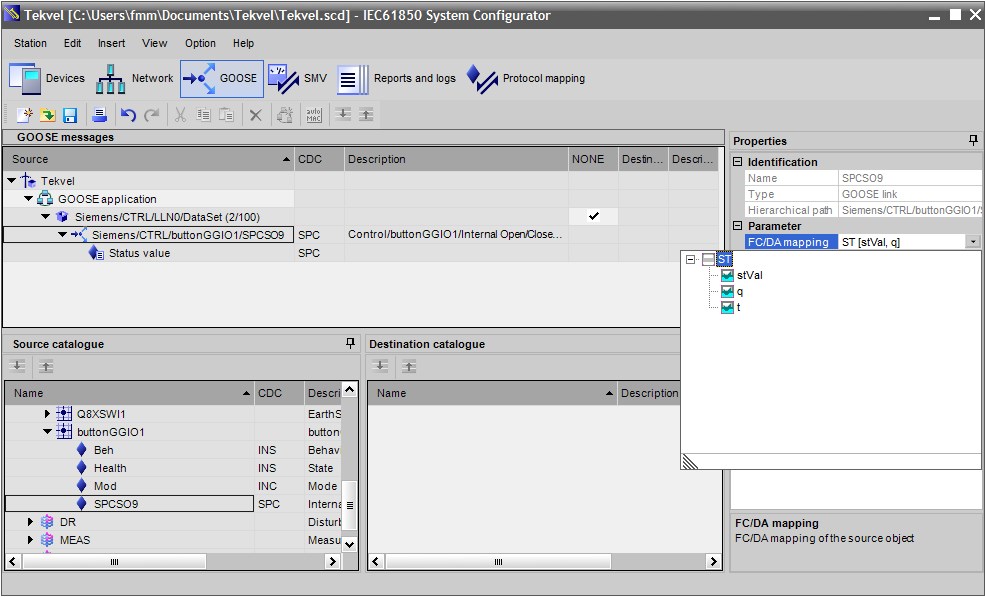
First, we will implement the first example and we will specify data attributes explicitly. DIGSI does so by default. If user chooses FC/DA mapping option in DIGSI, there will be a window presented where user can select required data attributes (Fig. 1).
<DataSet name="DataSet">
<FCDA ldInst="CTRL" prefix="button" lnClass="GGIO" lnInst="1" doName="SPCSO9" fc="ST" daName="stVal"/>
<FCDA ldInst="CTRL" prefix="button" lnClass="GGIO" lnInst="1" doName="SPCSO9" fc="ST" daName="q"/>
<FCDA ldInst="CTRL" prefix="button" lnClass="GGIO" lnInst="1" doName="SPCSO9" fc="ST" daName="t"/>
</DataSet>
It is not difficult to see that this entry corresponds to the entry, presented in the beginning of this paper.
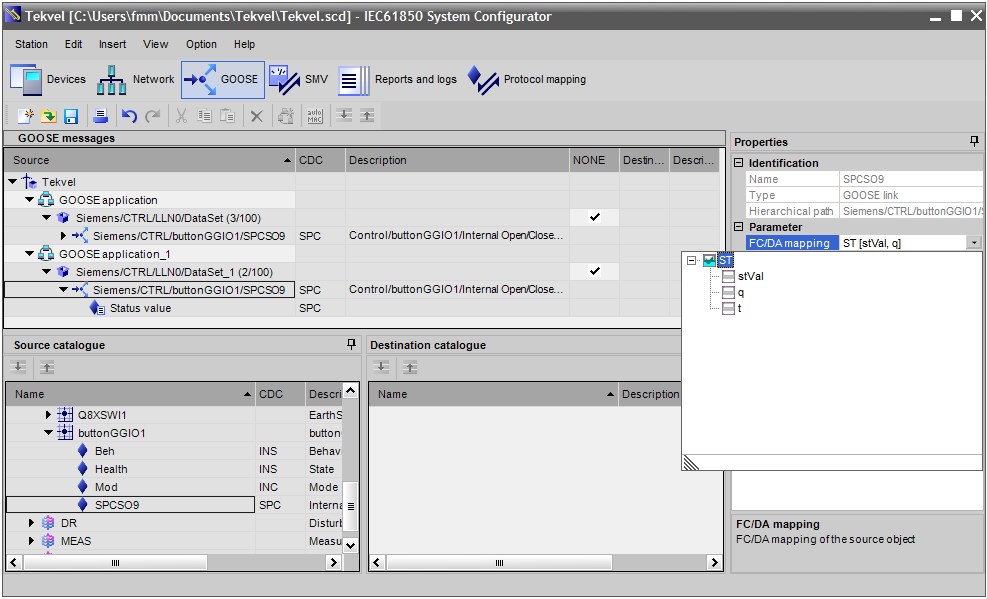
Okay, let's create the second dataset, constructed with functional constraints. For this user has to uncheck specific data attributes and to check FC (ST in our case) (Fig. 2):
<DataSet name="FCD">
<FCDA ldInst="CTRL" prefix="button" lnClass="GGIO" lnInst="1" doName="SPCSO9" fc="ST"/>
</DataSet>
That is what we need.
It is worth noting that described sequence of actions (uncheck specific attributes and check FC) does not work in every version of DIGSI. In version 4.87 it has not been possible. Though it has been possible to create such dataset manually - for this user had to edit SCD file, exported from DIGSI, and then import it in DIGSI again.
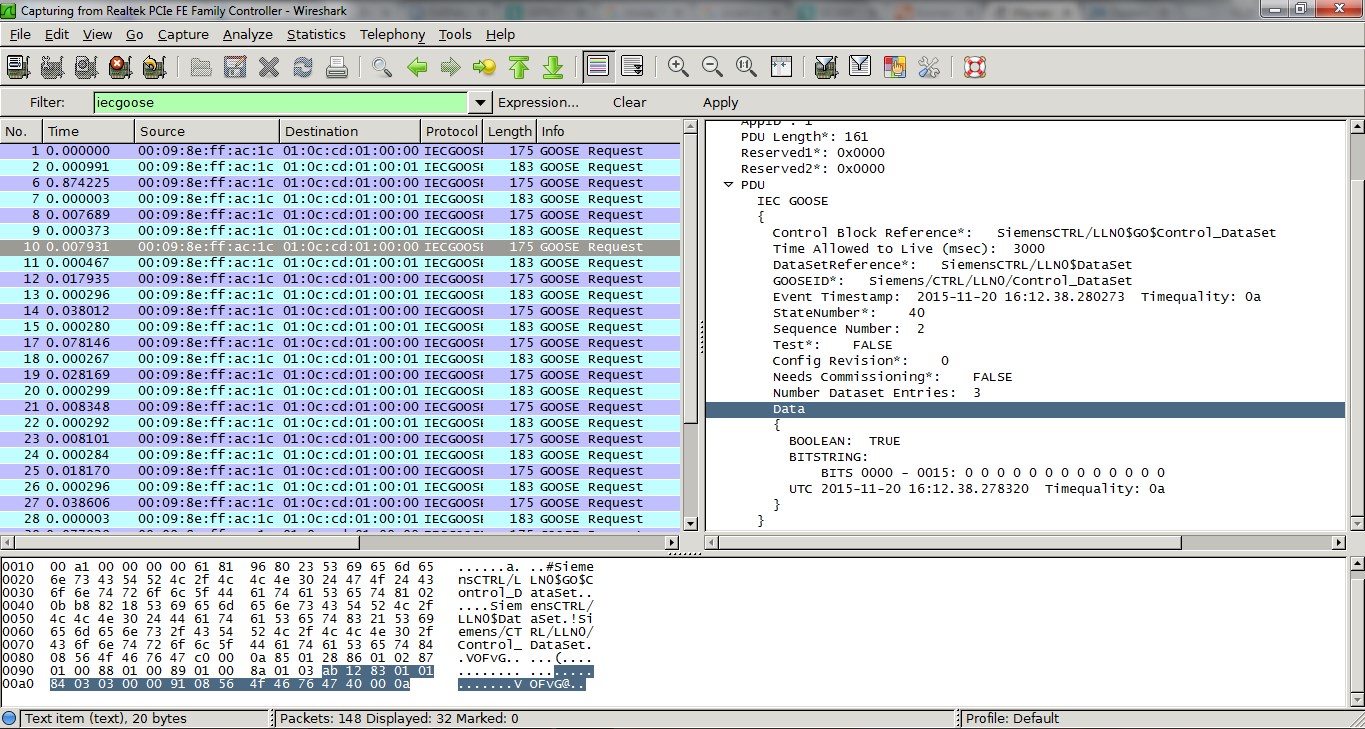
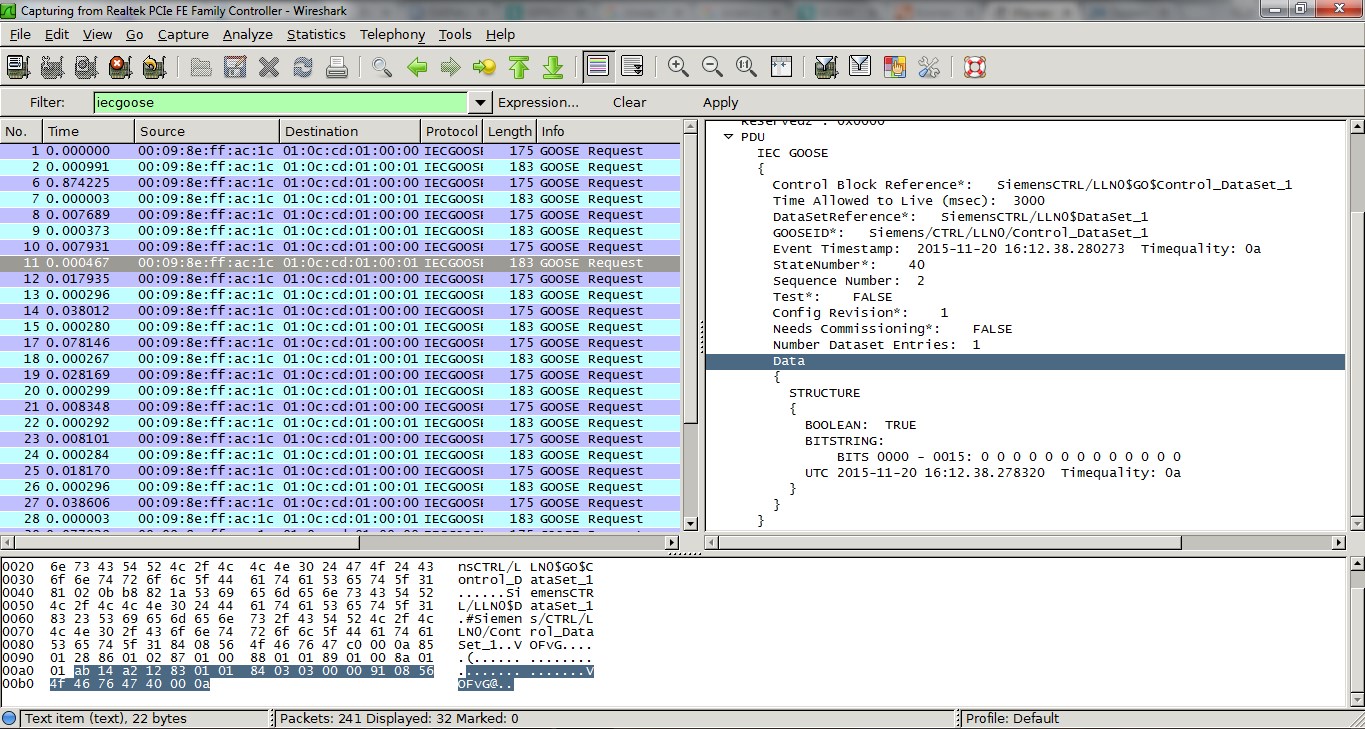
Now, let's load configuration to SIPROTEC and check GOOSE-message in Wireshark. GOOSE-message in Fig. 3 is sent according to the first configuration (Fig. 1).